ExpandableListView是类似qq联系人的效果,默认展示的是第一级的分组,点击某个分组后会展开该分组下的子列表。
布局文件中,指定ExpandableListView可以如下使用:
然后还需要一级布局layout_item_parent.xml,和二级布局layout_item_child.xml。暂且先叫这个名字(这两个布局可以凭需求而定,在这就不贴代码了)。
ExpandableListView的关键之处就是它的adapter,我们需要写一个adapter去继承BaseExpandableListAdapter,并实现其方法。其中getGroupView(),引用layout_item_parent.xml布局;其中getChildView(),引用layout_item_child.xml布局。这个两个方法,可以按照ListView时的getView()方法来写(剩余的其它方法均可按照ListView的adapter中的方法即可)。
值得注意的有下面两个方法,hasStableIds()和isChildSelectable()。
hasStableIds()组和子元素是否持有稳定的ID,也就是底层数据的改变不会影响到它们。返回一个Boolean类型的值,如果为true,意味着相同的ID永远引用相同的对象。
isChildSelectable()是否选中指定位置上的子元素。
以下是我遇见的需求,以前我用过两个ListView嵌套来解决类似问题,由于没有优化好,性能差的手机会有卡顿的现象,这次我打算用ExpandableListView,虽然有种大材小用的感觉。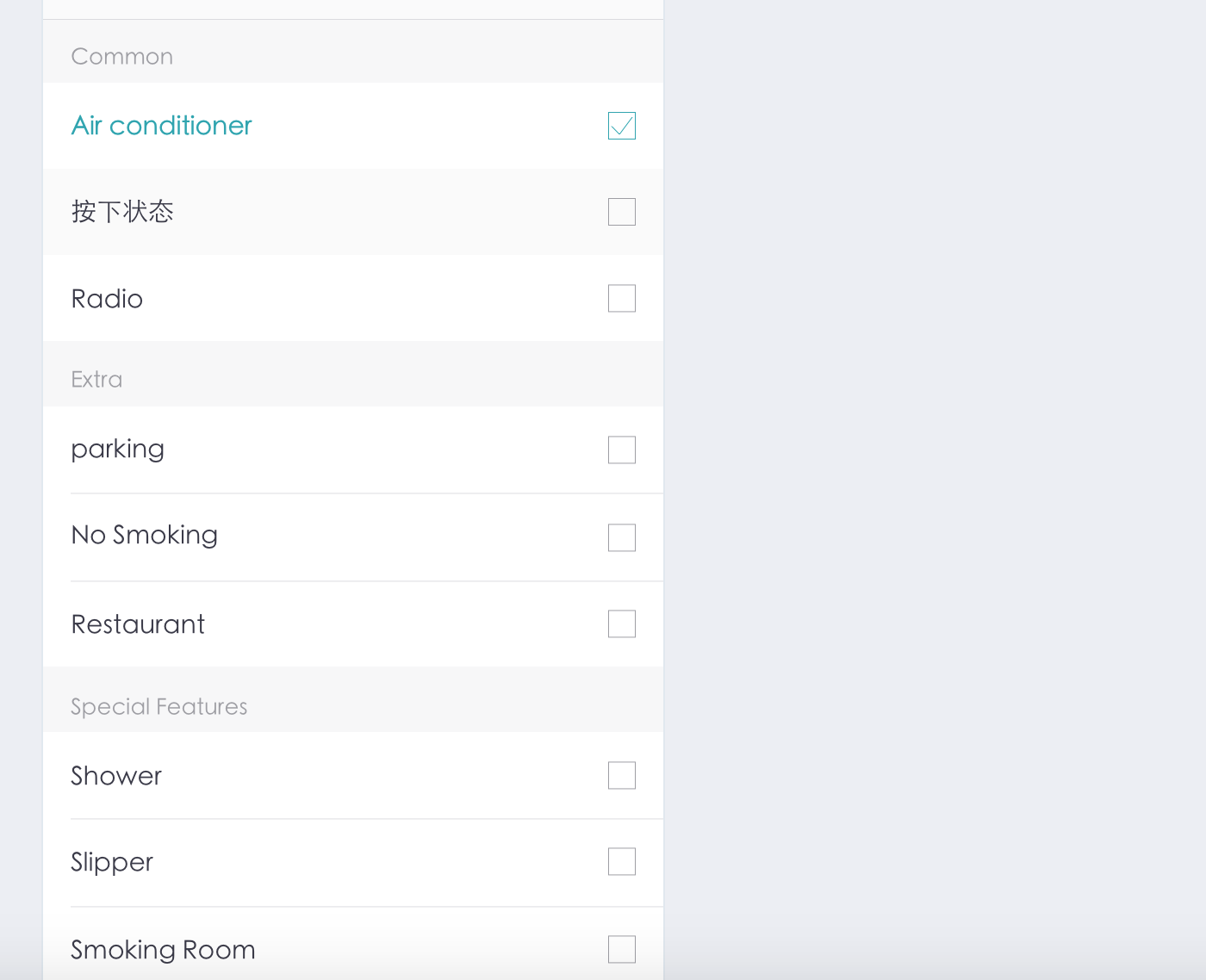
如果使用ExpandableListView来完成上图需求,我们还需要再处理一下三个问题。1.不可点击第一级分组,2.也没有自带的下拉尖头,3.并且默认全部展开。ExpandableListView自身就带有这些方法,供我们解决上述问题。我们只需在activity中写上如下代码:
for (int i=0; i<allList.size(); i++){
    //展开全部ExpandableListView的groupview
    expandableListView.expandGroup(i);
    //去掉groupview的展开箭头
    expandableListView.setGroupIndicator(null);
}

//屏蔽ExpandableListView的groupview的点击事件
expandableListView.setOnGroupClickListener(new ExpandableListView.OnGroupClickListener() {
    @Override
    public boolean onGroupClick(ExpandableListView parent, View v, int groupPosition, long id) {
        return true;
    }
});
现在,就可以完成图片中需求了,借用ExpandableListView是不是很简单。
ExpandableListView API
如需转载,请注明出处:YauLam’s Blog,thank u~